PACS Support Is a Staffing Problem, Not Just a Systems Problem
PACS support failures usually trace back to a national imaging-IT staffing shortage. Real vacancy, turnover, and downtime-cost data — and the managed-PACS fix.
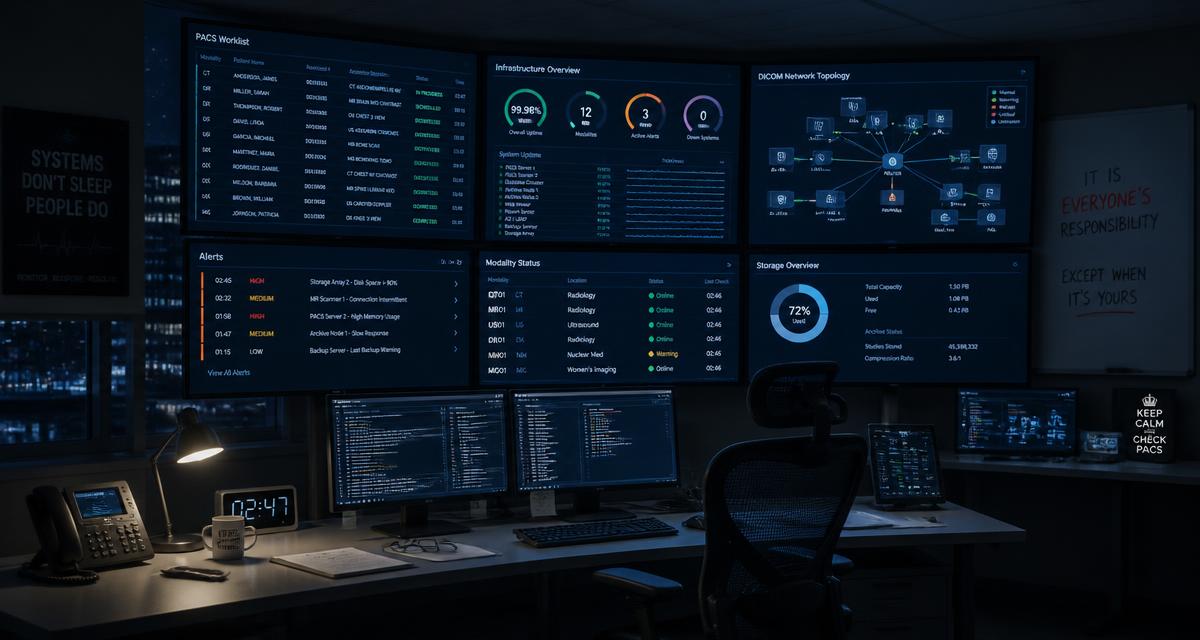
By Trisha Seal — September 15, 2026. RAD365 runs a vendor-agnostic managed PACS support model staffed by imaging IT engineers: proactive monitoring, incident response, system administration, DICOM and network troubleshooting, migrations and vendor escalation across multi-vendor imaging estates, with real people on shift through nights, weekends, and holidays under contractual SLAs.
When an imaging estate goes down, the incident report almost always names a system. A storage array filled up. An interface stopped passing messages. A certificate expired. PACS support then gets reviewed as a technology line item, and the conclusion is usually a tooling change or a vendor escalation.
That image access is incomplete. In most departments, the actual root cause sits one layer back: there is one person who understands the environment, and the failure happened during an hour that person was not working. The system fault is real, but it is the symptom. The cause is that there was no bench. This is the case for treating managed PACS support as a staffing decision rather than a software one — and the data behind it is unusually clear.
PACS Radiology 101
Before the staffing argument, a short definition, because plenty of people responsible for approving this budget do not work in imaging IT day to day.
A PACS — Picture Archiving and Communication System — is the system of record for medical images. It ingests studies from modalities (CT, MRI, ultrasound, X-ray, mammography, nuclear medicine), stores them in an archive, and presents them to radiologists on diagnostic workstations through a worklist. Around that core sit the parts that actually break: DICOM routers moving images between devices, HL7 interfaces exchanging orders and reports with the RIS and EHR, storage tiers, VPNs and network links to remote sites, viewer licenses, and modality worklist services that tell each scanner which patient is next.
In layman's terms, "PACS radiology" refers to this entire chain—the digital workflow that replaced film. When any link fails, imaging halts, forcing the department to rely on slower, less safe workarounds. Keeping that chain intact is what PACS support means.
The Labor Pool Behind That Chain Is Shrinking
The specialist who administers that environment is drawn from the same workforce as the rest of imaging, and that workforce is under measurable strain.
Radiographer vacancy rate — all-time high (Radiology Business, 2023)
The same vacancy rate two years earlier
Technologist turnover rate
Facilities reporting active staffing challenges
The 2023 Radiology Business national salary and job-satisfaction survey found radiographer vacancy rates at an all-time high of 18.1%, up from 6.2% just two years earlier, with technologist turnover running around 17.5% and more than 85% of outpatient facilities and hospitals reporting active staffing challenges. PACS administrator roles draw from that same shrinking, specialized labor pool.
Two things follow from that. First, the hiring cycle for a competent PACS administrator is long — months, frequently, and longer if you need someone who already knows your specific vendor mix. Second, the person you eventually hire is highly marketable, which means retention risk does not end at the offer letter. A department whose imaging systems depend on one such person is carrying a concentration risk it has usually never quantified.
What Happens When the Staffing Gap Meets an Outage
The gap is invisible until something breaks outside business hours, and then it converts into money quickly.
An outage at 9 AM on a Wednesday costs a few hours of scrambling. The same outage at 9 PM on a Saturday costs the time it takes to reach someone, plus the time it takes that someone — woken, without a runbook, possibly not the person who configured the interface in question — to become useful. That second interval is where most of the loss lives, and it is a staffing interval, not a technical one.
Lost-revenue estimate for imaging downtime; up to $15,833/hr per facility (Change Healthcare and Becker's via AuntMinnie)
Estimated annual lost imaging revenue, mid-sized hospital
Downtime incidents a 200-bed hospital typically sees per year
Share of total hospital revenue attributed to imaging in these analyses
Industry analysis citing Change Healthcare and Becker's data (via AuntMinnie) puts the lost-revenue impact of imaging-system downtime at roughly $189.54 per bed per hour, or up to $15,833 per hour overall for a facility. That adds up to an estimated $280,000–$376,000 a year in lost imaging revenue across the 3 to 4 downtime incidents a mid-sized (200-bed) hospital typically experiences annually, since imaging represents around 37% of total hospital revenue in these analyses.
Read that against a single salary line and the comparison reframes itself. The question is not whether you can afford dedicated coverage. It is whether the hours you currently leave uncovered are cheaper than the incidents that land in them. For departments already mid-transition — a vacancy, a resignation, a migration in flight — interim PACS support exists precisely to hold that line while the permanent answer is worked out.
In-House PACS Administrator vs. Managed PACS Support
| Dimension | One in-house PACS administrator | Managed PACS support |
|---|---|---|
| Coverage hours | Business hours, minus leave, training and meetings | 24/7 including nights, weekends, and holidays, under contractual SLAs |
| Annual cost | ~$165,000 fully loaded — salary, benefits, recruiting, training — for one shift's worth of coverage | Predictable flat monthly fee scoped to estate size, vendor mix and coverage hours |
| Vendor scope | Whatever that individual has personally worked with | Vendor-agnostic across every PACS, archive and modality in the estate |
| Bench depth during an absence | None — vacation, illness or resignation leaves the environment unattended | A rotation; a single absence is a scheduling event, not an operational cliff |
| Escalation ownership | The administrator chases each vendor personally, in sequence | One accountable team owns escalation across all vendors simultaneously |
The row that decides most renewals is bench depth. Everything else can be argued either way; that one cannot. A structured comparison of what each tier should include is set out in the PACS support framework.
What a Managed PACS Team Actually Staffs
"Buying depth" is abstract until you see how the roster is actually built. A credible managed model staffs three tiers, and you should ask any provider to name who sits in each.
Tier 1 — monitoring and first response. Engineers on shift watching archive health, storage headroom, DICOM queue depth, interface status and modality connectivity continuously, not on a schedule. Most of their value is in the tickets you never hear about: the queue that backed up at 3 AM and was cleared before the morning list started.
Tier 2 — PACS engineering. The people who diagnose and fix, rather than escalate: DICOM conformance problems, routing rules, worklist and hanging protocol configuration, modality onboarding, interface debugging, certificate and license renewals, patch coordination. This tier is what distinguishes PACS support from a general IT help desk.
Tier 3 — vendor escalation and project work. Named engineers who open, escalate and chase tickets with each PACS vendor on your behalf, and who run planned work — upgrades, archive expansions, migrations — as documented projects with cutover plans and rollback paths. Departments that keep radiology administrative support and imaging IT aligned at this tier tend to absorb change far more cleanly than those who treat them separately.
Three tiers is also the honest answer to "how many people does 24/7 take." It is not one administrator with a phone. It is a rotation deep enough that nights, weekends, and holidays are staffed the same way as a Tuesday afternoon.
The Thesis, Restated
PACS outages are logged as systems failures because that is what the monitoring tool reports. But the recurring, expensive ones almost always trace back to the same structural fact: a specialized, hard-to-hire role held by one person, covering a system that runs 24 hours a day.
Managed PACS support is not primarily a way of outsourcing tickets. It is a way of buying depth against a labor market that is not getting easier — vacancy rates at record highs, turnover near 17.5%, and a hiring cycle measured in months. The systems keep running because there are enough people to run them, at every hour, which was always the actual requirement.
Frequently Asked Questions About PACS Support
What Managed PACS Support Actually Covers
What is PACS support, and what does it actually include?
PACS support covers the day-to-day operation of your Picture Archiving and Communication System: monitoring uptime, managing DICOM and HL7 interfaces, storage and archive management, workstation and modality connectivity, vendor escalation, and disaster recovery. Managed PACS support means a dedicated outside team runs all of that as an ongoing service rather than a single in-house hire handling it alone.
How is managed PACS support different from calling your PACS vendor when something breaks?
Your PACS vendor supports its own software only. A managed PACS support provider owns the whole environment across every vendor and modality involved, so when one modality needs to talk to a different viewer routed through a third-party archive, one team is accountable for the handoff instead of multiple vendors pointing at each other.
What is the difference between managed PACS support and an in-house PACS administrator?
An in-house administrator is one person covering business hours, vacations, sick days, and whatever comes up after they log off. Managed PACS support replaces that single point of failure with a complete team providing 24/7 coverage, ensuring seamless support during nights, weekends, and holidays without operational drop-offs.
Can PACS support cover more than one PACS vendor or imaging modality at once?
Yes. Multi-site hospitals and imaging networks routinely run PACS from more than one vendor across CT, MRI, X-ray, ultrasound, and mammography. Vendor-agnostic managed PACS support is built to administer all of it under one team and one set of SLAs, rather than a different point of contact for each system.
The Staffing Problem Behind Most PACS Failures
Why is it so hard to keep a PACS administrator on staff?
Radiology imaging IT sits at the intersection of two shortages at once — the broader radiology staffing crunch and a small, specialized labor pool for PACS/imaging-informatics roles specifically. The 2023 Radiology Business national salary and job-satisfaction survey put radiographer vacancy rates at an all-time high of 18.1%, up from 6.2% just two years earlier, and PACS administrator roles draw from that same shrinking, in-demand pool.
How many people does it actually take to cover PACS support 24/7 without gaps?
Covering nights, weekends, holidays, vacations, and sick leave with true 24/7 depth typically requires a rotation of several engineers, not one administrator working overtime. That's the math managed PACS providers are built around — spreading coverage across a team so no single absence leaves the worklist unmonitored.
What job titles are typically responsible for PACS support inside a hospital?
Titles vary by organization but commonly include PACS administrator, PACS analyst, PACS support specialist, and imaging IT/informatics analyst — often reporting into radiology operations or hospital IT. In smaller organizations, one person may hold several of these responsibilities at once, which is exactly the concentration risk managed PACS support is designed to remove.
Is the radiology IT staffing shortage really as bad as it sounds?
The numbers back it up. Beyond the 18.1% radiographer vacancy rate noted above, the same survey found technologist turnover running around 17.5% and reported that a majority of respondents felt overworked or burned out in the prior 12 months — conditions that hit imaging IT and PACS teams as hard as clinical staff.
Choosing and Evaluating a PACS Support Provider
What SLAs should a managed PACS support company guarantee for uptime and response time?
Look for a documented uptime SLA (99.9% is a reasonable benchmark), a defined critical-incident response time (commonly 15 minutes or less for P1 issues), and named escalation paths for every vendor in your environment — not just a general "we'll get to it" commitment.
How do I evaluate managed PACS support companies before signing a contract?
Ask for their SLA terms in writing, request references from facilities running a similar PACS mix to yours, confirm which vendors and modalities they actually support versus merely list, and clarify whether pricing is a flat monthly fee or time-and-materials billing that can spike during a bad month.
What certifications should a PACS support provider hold for healthcare IT compliance?
At minimum, confirm HIPAA-compliant infrastructure and documented data-handling practices, along with any relevant health IT security frameworks the provider can show evidence of. Ask specifically how PHI is handled during remote troubleshooting sessions, since that's where compliance gaps tend to hide.
How do the best PACS support providers handle system migrations and upgrades?
Strong providers treat migrations as a planned project with a documented cutover window, rollback plan, and pre/post-migration validation of studies and metadata — not a weekend improvisation. Ask any prospective provider to walk through a past migration in detail before you sign.
How can I compare PACS support providers beyond just price?
Compare documented SLA terms, the breadth of vendors and modalities actually supported, how coverage is staffed (dedicated team vs. shared help desk), and whether reporting includes real performance data — ticket trends, uptime history, response times — rather than a generic account-management check-in.
Cost, ROI, and Getting Started
How much do managed PACS support services typically cost for a mid-sized clinic or hospital?
Pricing varies with system complexity and coverage hours, but managed PACS support is commonly priced as a predictable flat monthly fee rather than hourly billing. As a benchmark, one in-house PACS administrator alone runs roughly $165,000 a year once salary, benefits, recruiting, and training are counted — and that's for business-hours coverage only.
What does unplanned PACS downtime actually cost a hospital?
Real dollars, not just delayed reports. Industry analysis citing Change Healthcare and Becker's data (via AuntMinnie) puts the lost-revenue impact of imaging-system downtime at roughly $189.54 per bed per hour, or up to $15,833 per hour overall for a facility. That adds up to an estimated $280,000–$376,000 a year in lost imaging revenue across the 3 to 4 downtime incidents a mid-sized (200-bed) hospital typically experiences annually, because imaging represents around 37% of total hospital revenue in these analyses.
What are the real benefits of outsourcing PACS management versus keeping it in-house?
The core benefits are continuity and cost predictability: 24/7 coverage that doesn't depend on one person's schedule, a flat monthly fee instead of a full-time salary plus benefits and recruiting costs, and a team that already knows how to work across the vendor landscape instead of learning it on the job.
What should large, multi-site hospital networks look for in a PACS support partner?
Multi-site networks should prioritize a provider that can standardize support across every location's PACS instance from one team, maintain consistent SLAs system-wide, and provide roll-up reporting that shows performance across sites rather than a separate report per facility.
How long does it take to onboard a managed PACS support provider?
Timelines vary with environment complexity, but a structured onboarding typically includes a discovery assessment of your current PACS setup, documentation of escalation protocols, and a transition period running alongside your existing support before full cutover — generally weeks rather than months for a single-site environment.
Find out where your PACS coverage actually has gaps
A RAD365 PACS engineer will review your vendor mix, coverage hours, monitoring position, escalation paths and documentation, then show you which hours are genuinely staffed and which are not. Systems and infrastructure support only. No obligation.
Request a PACS support assessment →