What RAD365's Radiology Workflow Manager Actually Automates, Role by Role
A role-by-role guide to RAD365's Radiology Workflow Manager: what it automates for institutions, radiologists, back-office teams and administrators.
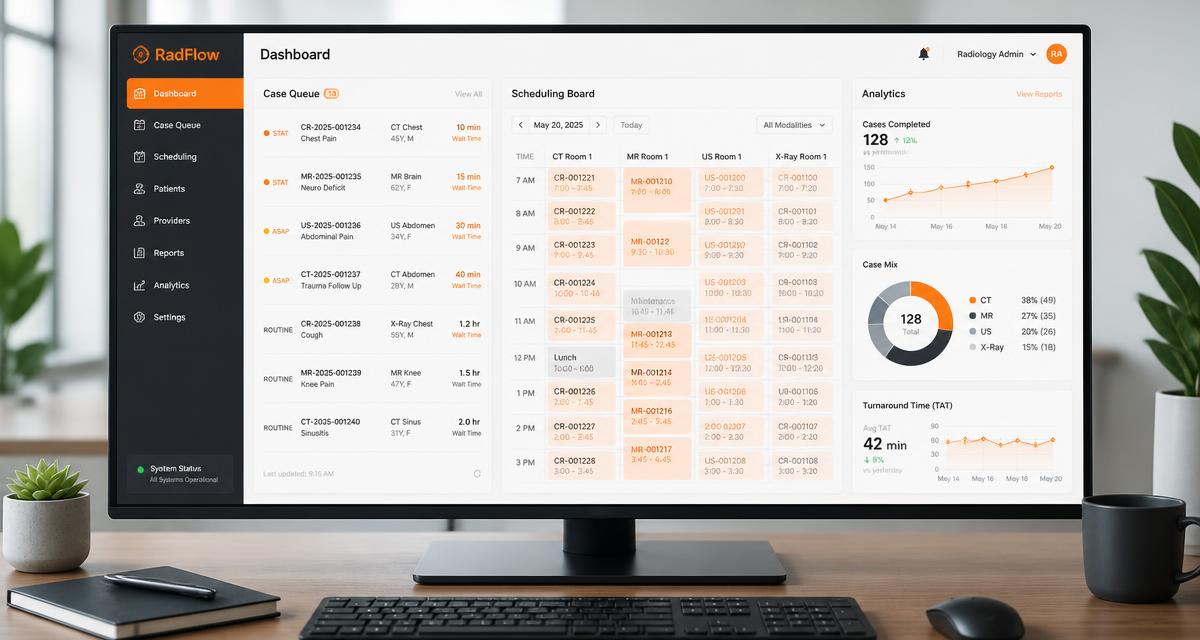
By Trisha Seal — September 16, 2026. RAD365 builds and operates the Radiology Workflow Manager, an n-tier web-based system deployed in the cloud or on an institution's own intranet to run case intake, scheduling, accounting and analytics. This article describes the platform's operational capabilities only.
A radiology workflow manager is usually described as if it were one thing — a smarter worklist. In practice it has to serve four audiences at once, and each of them wants something different from it. The institution submitting a case wants status and a report. The radiologist wants the right case at the right hour. The back office wants clean data to bill against. The administrator wants numbers that hold up in a quarterly review. RAD365's Radiology Workflow Manager automates each of those jobs separately inside one connected system, and this guide walks through them role by role.
What RWM Is, Structurally
RWM is an n-tier, web-based system that can be deployed in the cloud or on an institution's own intranet, and it is designed to sit alongside existing PACS environments rather than replace them. Its capabilities fall into four groups: administrative setup, workflow, accounting, and analytics. The role-by-role sections below map directly onto those groups, because what each user experiences is the part of the platform their job touches.
Role 1 — Institutions and Referring Physicians
For the institution submitting cases, the platform removes the phone call. Institutions log in to check case status and download reports the moment they are ready, rather than waiting to be told. The same login shows billing details and allows payment online, and direct communication with radiologists happens inside the platform instead of across email threads and voicemail.
The practical effect is that the most common inbound question in radiology operations — where is my report? — stops arriving as a phone call, because the answer is already visible to the person asking.
Role 2 — Radiologists
The radiologist-facing side carries most of the day-to-day automation. Availability is scheduled on a time-zone basis, so the system knows who is actually on shift rather than assuming a static roster. Cases are then received on the basis of modality, procedure, and body part, so each radiologist sees work matched to their scope rather than a shared, undifferentiated pile.
Reporting happens in the same place. RWM provides an interface for viewing images and producing reports without requiring separate PACS access, which removes a login hop from every case. When coverage needs to shift, a case can be transferred to another radiologist inside the platform rather than rebuilt by hand outside it.
Role 3 — Back Office and Transcription
Back-office and transcription staff prepare case details and submit them for reporting, with the submission structured to eliminate coding errors before a case moves downstream. Report formatting and translation tools sit in the same workflow, so documents are not reformatted by hand in a separate application.
This step is upstream of everything else, which is why it matters more than it looks. A case entered cleanly moves through assignment, reporting and billing without the rework that a single mis-coded field would otherwise trigger three steps later.
Role 4 — Administrators and Setup
The administrative layer covers institution account setup, classification of modality, body part and study type, radiologist account setup, and license tracking with engagement scheduling — the layer covered by RAD365's radiology administrative support offering. None of it is glamorous, but it dictates how well the operational layers perform. Routing is only as accurate as the classification behind it, and scheduling is only as reliable as its underlying availability and license data.
Role 5 — Finance and Billing
Accounting lives inside the same platform as the workflow. RWM covers price charts for discounts and promotions, payable charts for incentives, invoicing, accounts receivable, accounts payable, receivables payment management, aging analysis, and third-party account integration. Because those functions read the same case records as the workflow, finance is reconciling one dataset rather than comparing two that were never designed to agree — the same principle behind dedicated revenue cycle management for imaging operations.
Role 6 — Department and Institution Leadership
For leadership, the analytics layer covers productivity, monthly, quarterly, and yearly business review, performance tracking, peer review and MIS reports. Where a department relies on a formal clinical quality program, that connects naturally to a dedicated peer review and QA layer alongside the operational reporting.
The Workflow Chain, End to End
Read as a sequence rather than as roles, the platform runs a single chain: an institution submits a case, back-office staff prepare and submit it for reporting, the workflow layer assigns it according to availability, modality and body part, the radiologist views and reports on it in the same interface, status updates flow back to the institution, invoicing and payables are generated from the same record, and analytics summarize the whole thing for review. Each handoff in that chain is a place where a manual process used to lose time.
What That Adds Up To
Faster turnaround time
More radiologist productivity
Less administrative time
SLA compliance
Each figure traces back to a specific automated step above rather than to the platform in general: routing removes manual sorting, the single reporting interface removes duplicate logins, structured case preparation removes rework, and analytics make SLA compliance a tracked fact rather than a monthly assumption.
How RWM Sits Next to Your PACS
RWM orchestrates the work around cases; it does not replace the imaging systems underneath. Institutions that also want the underlying environment operated — administration, interfaces, archive and vendor escalation — pair it with managed PACS services delivered under the same PACS support framework.
See RWM mapped to your own roles
Walk through how case intake, scheduling, reporting and billing would work for your institutions, radiologists and back-office team.
Explore the Radiology Workflow Manager →Frequently Asked Questions
For Institutions & Referring Physicians
What can institutions see when they log into RAD365's Workflow Manager?
Institutions log in to check the current status of every case they have submitted and to download reports as soon as they are ready. The same login also exposes billing details, so a coordinator can answer both "where is this case?" and "what do we owe?" without contacting anybody.
Can referring institutions pay invoices directly through the platform?
Yes. Institutions can review their billing details and pay online inside the Radiology Workflow Manager, rather than moving to a separate billing portal or waiting for a mailed statement.
How do institutions communicate with radiologists inside RWM instead of by phone or email?
The platform provides direct communication with radiologists as a built-in function, so questions about a case travel with the case itself instead of scattering across voicemails and email threads that nobody can later reconstruct.
For Radiologists
How does time-zone-based scheduling work for radiologists using RWM?
Each radiologist's availability is recorded against their own time zone, so the system knows who is genuinely on shift at any given moment. Case assignment follows that availability rather than a static list, which is what makes distributed coverage work across regions.
Can radiologists choose which modalities or body parts they read through RWM?
Cases are assigned on the basis of modality, procedure, and body part, so a radiologist receives work that matches their scope rather than a single undifferentiated queue everyone has to filter by hand.
Do radiologists need separate PACS access to view and report on cases in RWM?
No. The Radiology Workflow Manager provides an interface for viewing images and producing reports without requiring separate PACS access, which removes a login hop from every single case.
Can a radiologist transfer a case to another radiologist inside the platform?
Yes. Case transfer between radiologists is a built-in function, so coverage can move when availability changes without anyone rebuilding an assignment outside the system.
For Back Office & Billing Teams
What does RWM automate for back-office and transcription staff specifically?
Back-office and transcription staff use RWM to prepare case details and submit them for reporting, and to apply report formatting and translation tools. The work that used to mean retyping and reformatting documents happens inside the same system that tracks the case.
How does RWM reduce coding errors in case preparation?
Case preparation is structured around the platform's own classification of modality, body part and study type, so details are selected from defined values during submission rather than typed freehand — which is where coding errors usually originate.
Does RWM handle invoicing and accounts receivable, or just clinical workflow?
Both. The accounting layer covers price charts with discounts and promotions, payable charts for incentives, invoicing, accounts receivable, accounts payable, receivables payment management, aging analysis and third-party account integration, all connected to the same case data.
Can RWM track payables to radiologists automatically?
Yes. Payable charts and incentives sit in the accounting module alongside accounts payable, so what is owed to radiologists is derived from the cases recorded in the system rather than reconciled separately at month end.
What does "aging analysis" mean inside RWM's accounting tools?
Aging analysis groups outstanding receivables by how long they have been unpaid, so a finance team can see at a glance which balances are current and which have been outstanding long enough to need chasing.
Setup, Analytics & Results
What's included in RWM's institution account setup process?
Administrative setup covers institution account creation, classification of modality, body part and study type, radiologist account setup, and license tracking with engagement scheduling. That configuration is what the routing, scheduling and billing layers above it depend on.
What kind of business analytics does RWM generate for administrators?
The analytics layer covers productivity, business review on a monthly, quarterly, and yearly basis, performance tracking, peer review and MIS reports — produced from live case data rather than assembled from exports each month.
How is radiologist productivity actually measured inside RWM?
Productivity is tracked from the case records the system already holds: what was assigned, to whom, and how it progressed through the workflow. Because assignment and status updates happen inside the platform, the measurement is a by-product of the workflow rather than a separate reporting exercise.
Can RWM be deployed on-premises instead of in the cloud?
Yes. RWM is an n-tier web-based system that can be deployed in the cloud or on an institution's own intranet, depending on infrastructure policy and IT preference.
How long does it take to onboard a new institution onto RWM?
Onboarding time depends on the administrative setup involved: creating the institution account, classifying modalities, body parts and study types, setting up radiologist accounts and configuring workflow parameters. An institution with a narrow modality mix is configured faster than a multi-site network with many study types.
Does RWM replace the need for a separate PACS, or work alongside one?
RWM works alongside your imaging environment rather than replacing it. It orchestrates the workflow around cases — assignment, status, reporting, accounting and analytics — while your PACS continues to do what a PACS does.
